> ## Documentation Index
> Fetch the complete documentation index at: https://docs.rimdian.com/llms.txt
> Use this file to discover all available pages before exploring further.
# Workspace configuration
> Learn how to configure your workspace to suit your needs.
 ## Domains
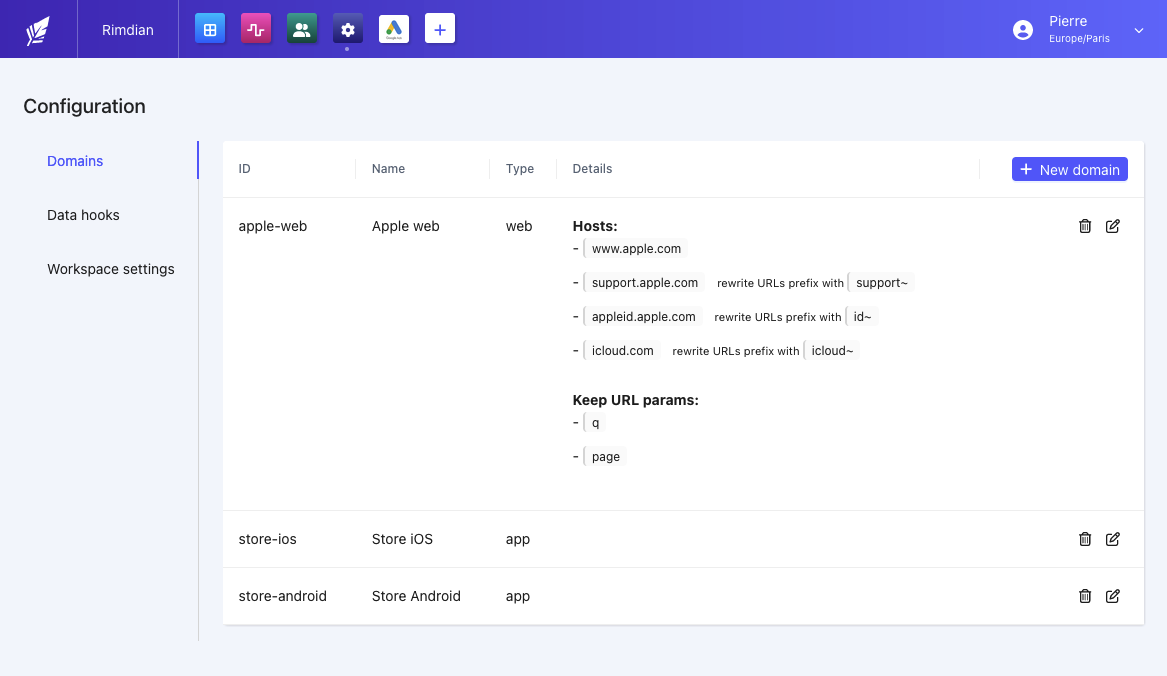
Domains are **digital** or **physical** places where your users can interact with your brand. They can be websites, mobile apps, or even physical stores.
Users interactions (pageviews, sessions, orders...) are tracked per domain. This allows you to analyze the performance of each domain, compare them & understand the customers journey (web-to-store conversions...).
Domains types are:
* **web** - Websites, blogs, landing pages...
* **app** - iOS, Android, React Native...
* **marketplace** - Amazon, eBay, Etsy...
* **retail** - Physical stores, pop-up stores...
* **telephone** - Call centers, phone orders...
### Web Domains
Web domains should be configured correctly to ensure the data collected by the [JavaScript SDK](/integration/javascript-sdk) is not rejected.
It's also important to declare all your sub-domains (blog.website.com etc...) & URL parameters you want to preserve (i.e: `?category=xxx`).
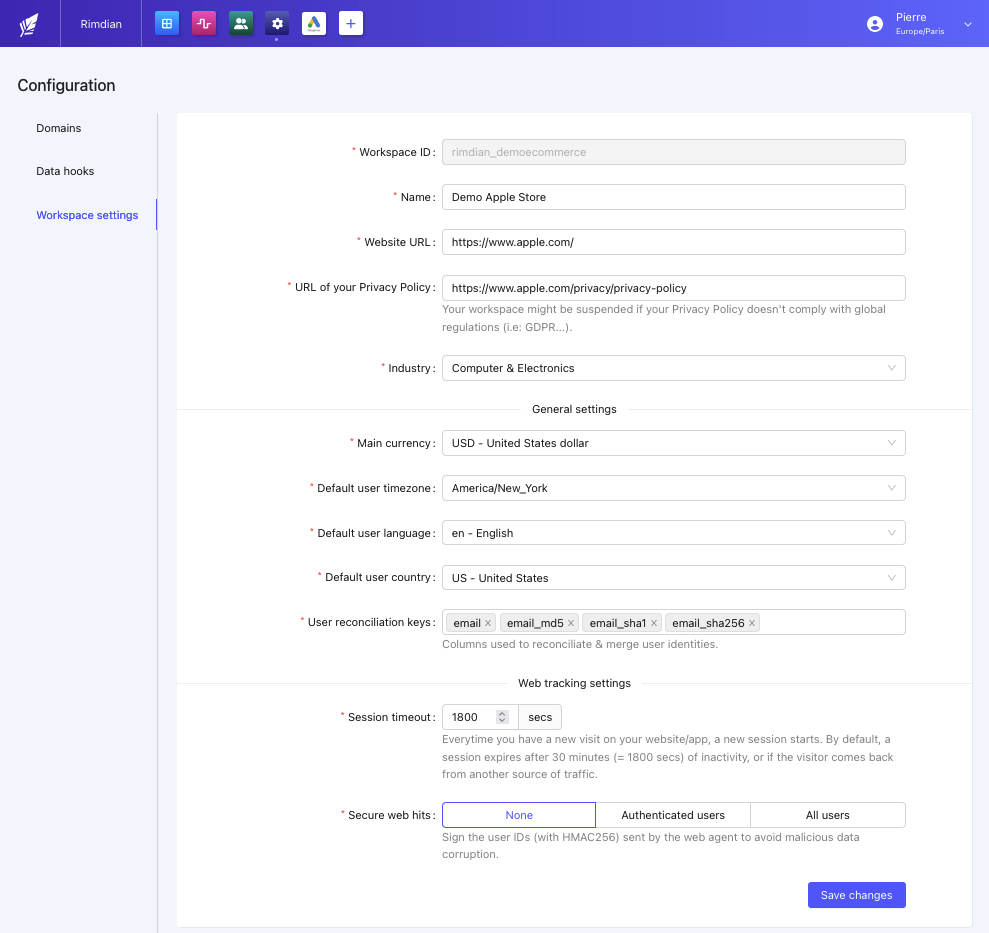
## Main currency
The main currency is used to convert all the monetary values into a common currency. It concerns `orders`, `carts` & `pageview products`.
The daily fx rate is pulled from the [European Central Bank](http://www.ecb.europa.eu/stats/eurofxref/eurofxref-daily.xml) (ECB).
## Users
All user profiles imported into Rimdian should have the `timezone`, `language` & `country` properties set. However, if you don't have this information yet about your users, the default settings configured in your workspace will be used:
* Default user timezone
* Default user language
* Default user country
### Reconciliation keys
Reconciliation keys are used to merge user profiles who share the same properties (i.e: `email`, `email_md5` etc...).
Any user property can be used a reconciliation key. However, it's important to choose a property that is unique to each user.
### Frontend authentication
To avoid malicious data injection into your workspace, that would lead to incorrect analysis, it's important to "sign" the users activity sent by the [JavaScript SDK](/integration/javascript-sdk).
To do so, you can either set the "Secure web hits" to:
* Authenticated users only
* All users
In such case, your frontend integration will need to provide the `HMAC signature` of the user `external_id`. Read more about it in the [JavaScript SDK documentation](/integration/javascript-sdk#users-authentication).
Data imported by API doesn't need to be signed, as the payload origin is already authenticated by your API key.
## Domains
Domains are **digital** or **physical** places where your users can interact with your brand. They can be websites, mobile apps, or even physical stores.
Users interactions (pageviews, sessions, orders...) are tracked per domain. This allows you to analyze the performance of each domain, compare them & understand the customers journey (web-to-store conversions...).
Domains types are:
* **web** - Websites, blogs, landing pages...
* **app** - iOS, Android, React Native...
* **marketplace** - Amazon, eBay, Etsy...
* **retail** - Physical stores, pop-up stores...
* **telephone** - Call centers, phone orders...
### Web Domains
Web domains should be configured correctly to ensure the data collected by the [JavaScript SDK](/integration/javascript-sdk) is not rejected.
It's also important to declare all your sub-domains (blog.website.com etc...) & URL parameters you want to preserve (i.e: `?category=xxx`).
## Main currency
The main currency is used to convert all the monetary values into a common currency. It concerns `orders`, `carts` & `pageview products`.
The daily fx rate is pulled from the [European Central Bank](http://www.ecb.europa.eu/stats/eurofxref/eurofxref-daily.xml) (ECB).
## Users
All user profiles imported into Rimdian should have the `timezone`, `language` & `country` properties set. However, if you don't have this information yet about your users, the default settings configured in your workspace will be used:
* Default user timezone
* Default user language
* Default user country
### Reconciliation keys
Reconciliation keys are used to merge user profiles who share the same properties (i.e: `email`, `email_md5` etc...).
Any user property can be used a reconciliation key. However, it's important to choose a property that is unique to each user.
### Frontend authentication
To avoid malicious data injection into your workspace, that would lead to incorrect analysis, it's important to "sign" the users activity sent by the [JavaScript SDK](/integration/javascript-sdk).
To do so, you can either set the "Secure web hits" to:
* Authenticated users only
* All users
In such case, your frontend integration will need to provide the `HMAC signature` of the user `external_id`. Read more about it in the [JavaScript SDK documentation](/integration/javascript-sdk#users-authentication).
Data imported by API doesn't need to be signed, as the payload origin is already authenticated by your API key.